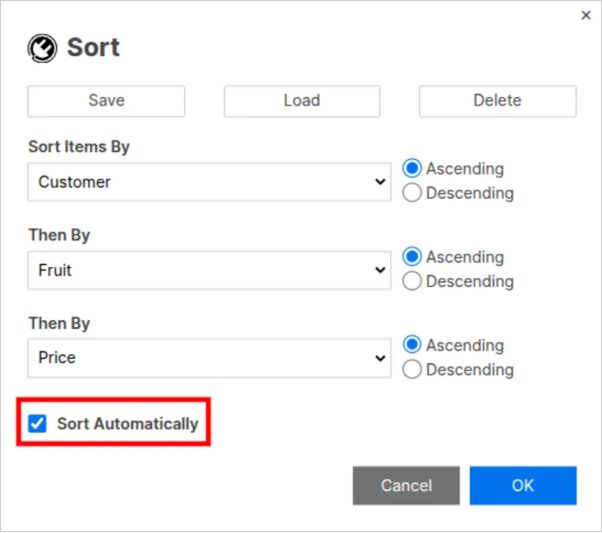
Auto-Sort Rows: Automatically re-sort your data every time it changes – including changes from forms, teammates, and automations. Set your sort criteria once and SSFeatures keeps it sorted.
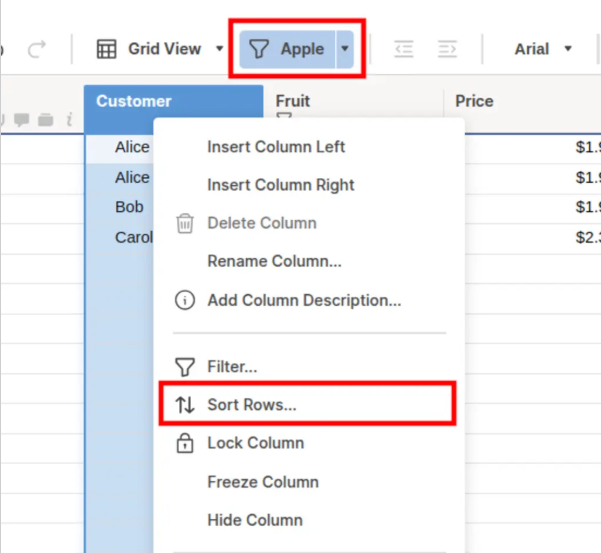
Filter Sort: Sort the rows within a filtered view without affecting the rest of your sheet.
Export & Reporting
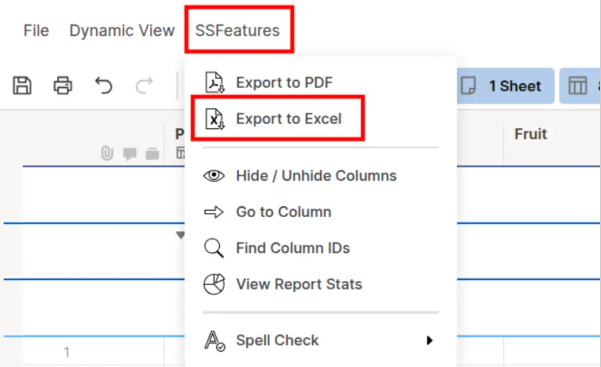
Export to Excel: Export sheets and reports to Excel with support for grouped rows, summary fields, and formatting that Smartsheet’s native export misses.
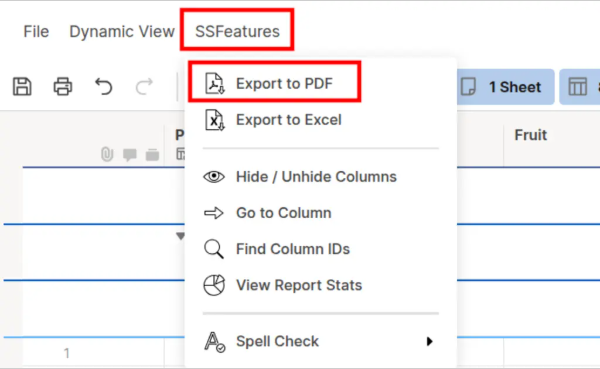
Export to PDF: Export sheets and reports to PDF with grouped rows, summaries, and clean formatting – ideal for stakeholder-ready documents.
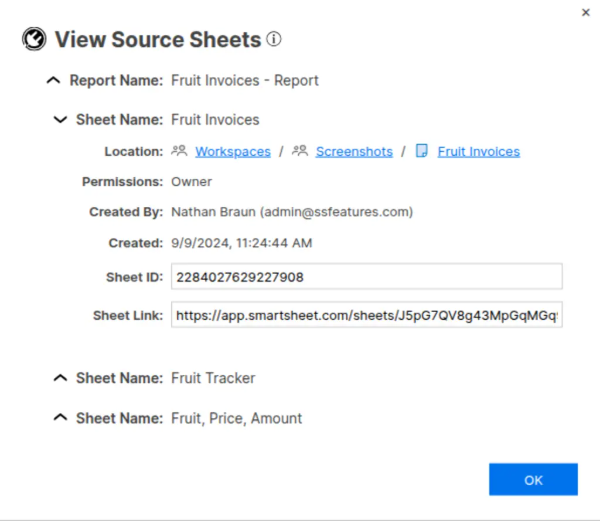
Report Source Sheets: Quickly view all the source sheets that feed into a report and navigate to them instantly.
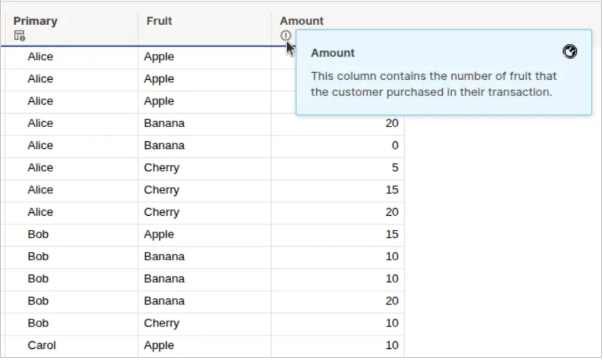
Report Column Descriptions: View column descriptions directly inside your reports, where Smartsheet doesn’t natively show them.
Column Management
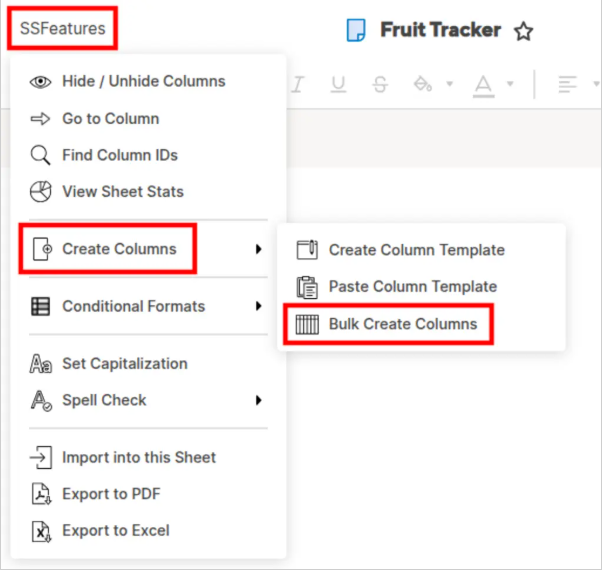
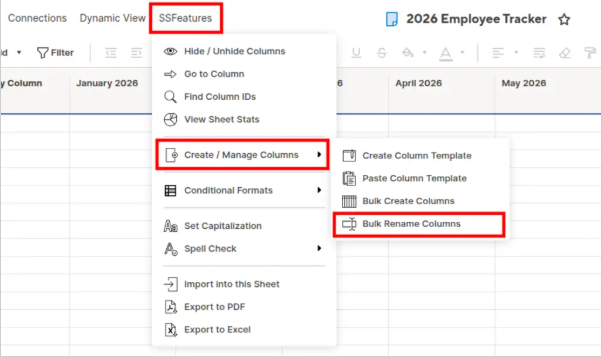
Bulk Column Creator: Create many columns at once instead of adding them one by one.
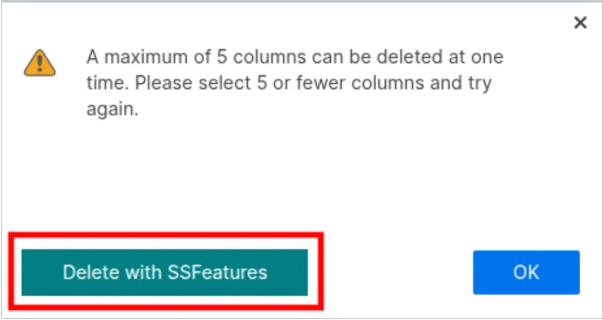
Bulk Column Deleter: Delete many columns at once – Smartsheet only allows deleting one at a time.
Bulk Column Renamer: Rename many columns at once using find-and-replace, prefixes, suffixes, and more.
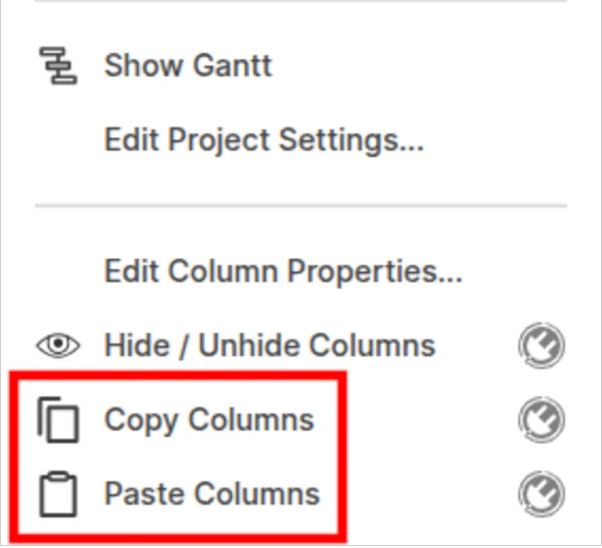
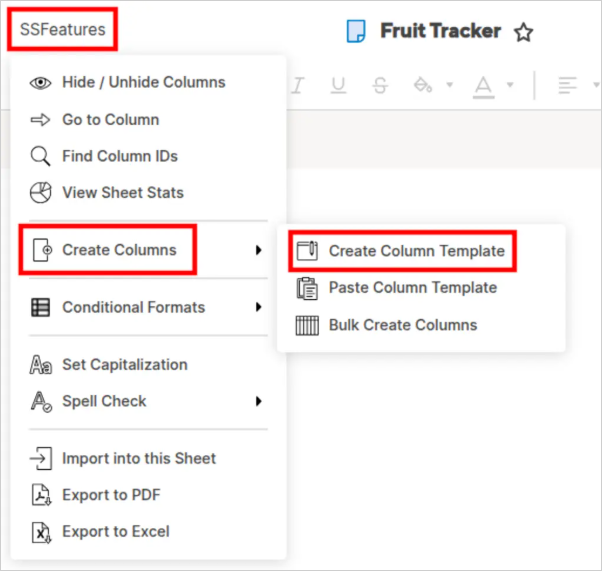
Column Copy & Paste: Copy columns (including properties, formulas, and formatting) from one sheet and paste them into another. Column Templates: Save column structures as reusable templates and apply them to new sheets instantly.
Column Viewer: View all column information at a glance – types, formulas, descriptions, and properties – in one consolidated view.
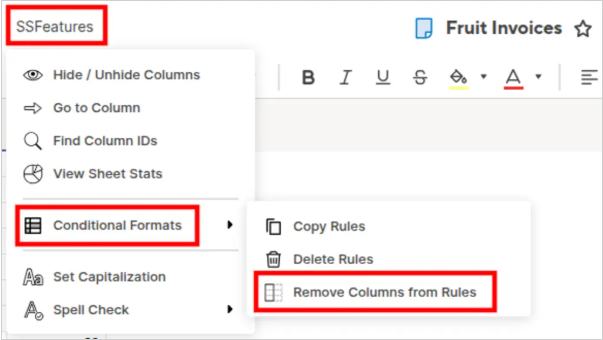
Hide/Unhide Columns: Quickly hide and unhide multiple columns at once, rather than one at a time. Go to Column: Instantly jump to any column by name – especially useful in wide sheets with many columns.
Column ID Finder: Look up the internal Column IDs that Smartsheet uses, which are needed for API integrations and advanced configurations.
Automation Support
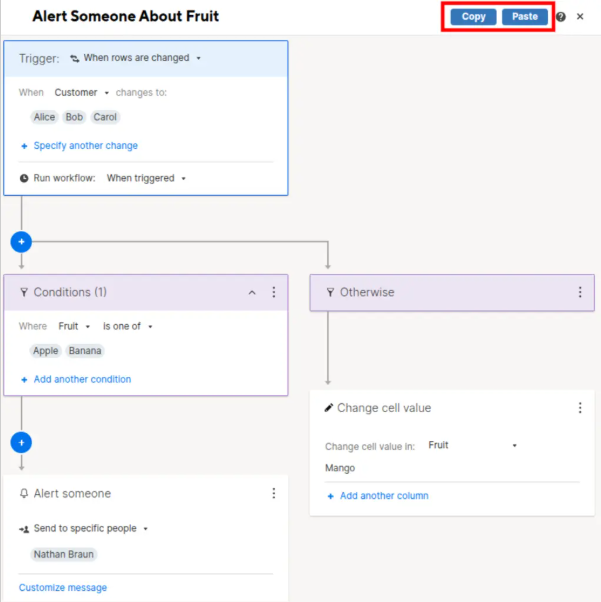
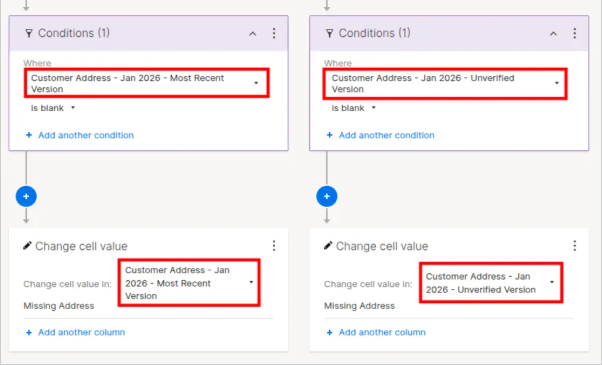
Copy & Paste Automation Workflows: Copy automation workflows from one sheet and paste them into another – something Smartsheet doesn’t support natively.
Automation Workflow Style Improver: Clean up and improve the visual styling of your automation workflows for better readability.
Cross-Sheet References & Cell Links
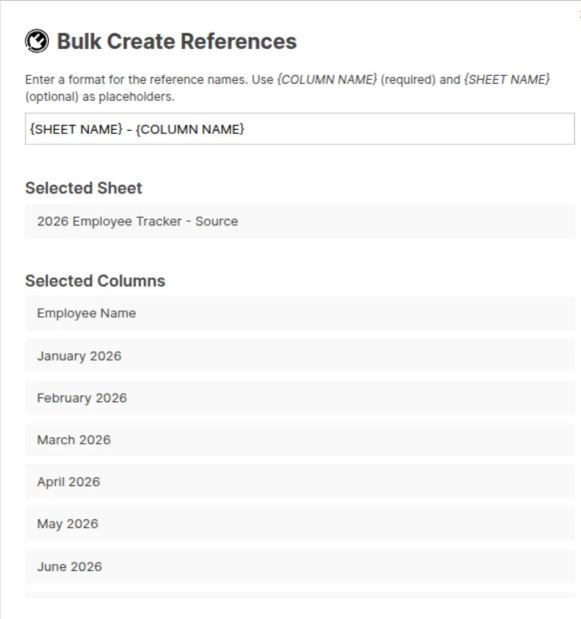
Cross-Sheet References Bulk Creator: Create many cross-sheet references at once instead of building them individually.
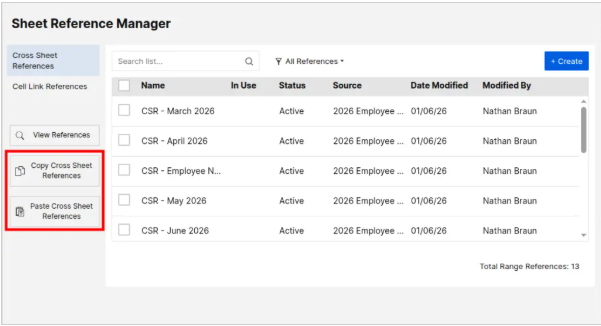
Cross-Sheet References Copy & Paste: Copy cross-sheet references between sheets to save setup time.
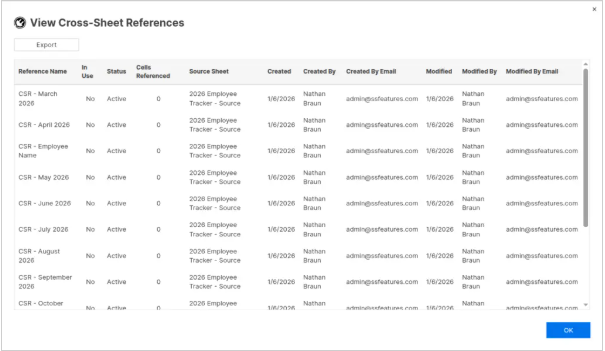
Cross-Sheet References Viewer: View all cross-sheet references and cell links in your sheet in one place, with the ability to navigate to each source.
Conditional Formatting
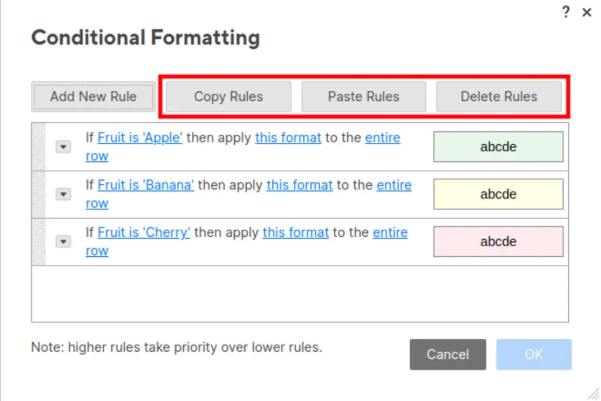
Conditional Format Copy & Paste: Copy conditional formatting rules from one sheet and paste them into another.
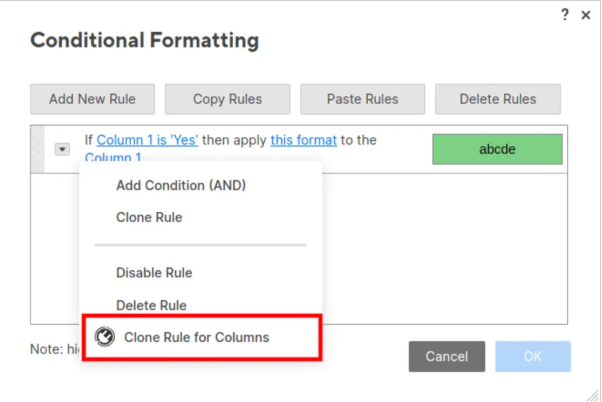
Conditional Format Bulk Clone: Clone a conditional format rule across many columns at once.
Conditional Format Remove Columns: Remove specific columns from conditional format rules in bulk.
Data Import
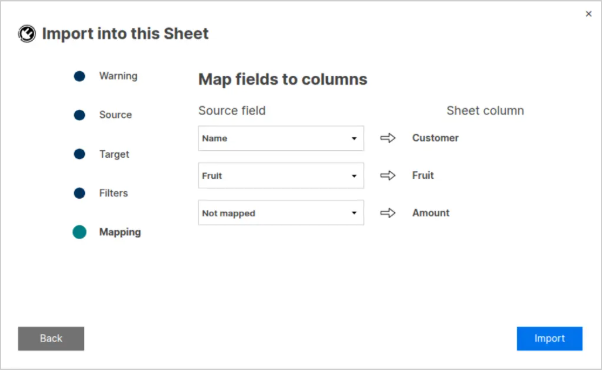
Import Into Existing Sheets: Import data from CSV or Excel directly into an existing Smartsheet sheet – Smartsheet’s native import only creates new sheets.
Data Quality
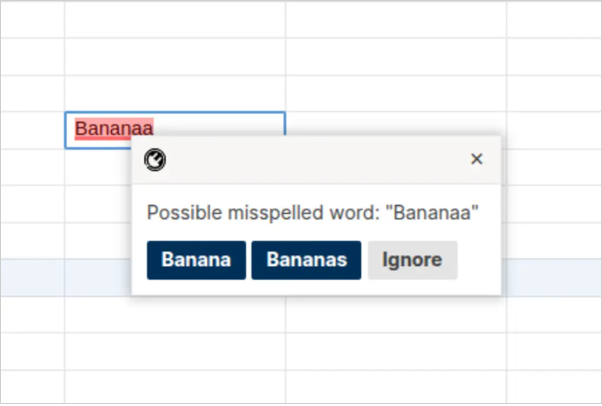
Spell Check: Run spell checking across your sheet data to catch typos and errors.
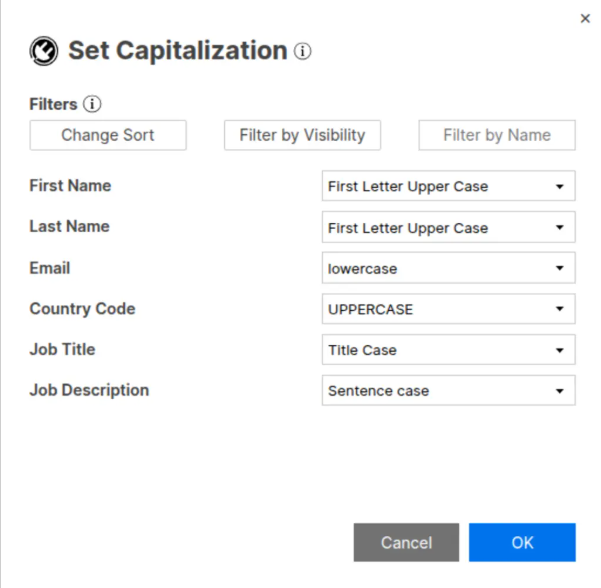
Set Capitalization: Apply consistent capitalisation rules (UPPER, lower, Title Case) across selected data.
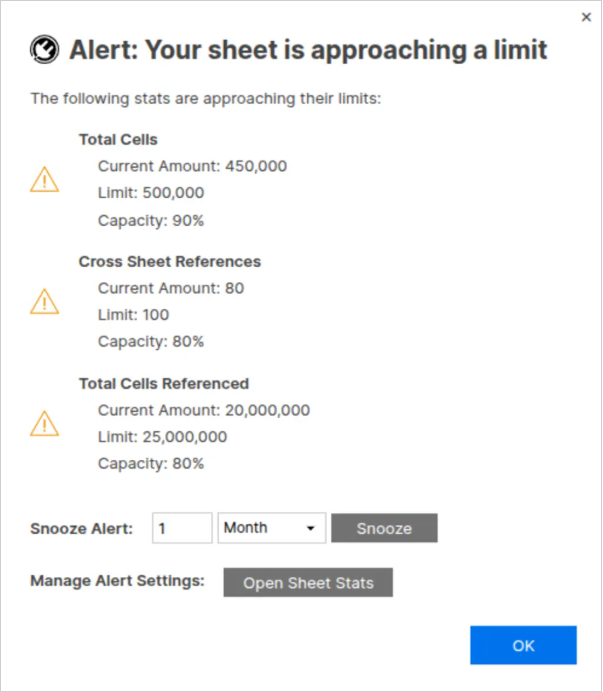
Sheet Limit Alerts: Get alerted when your sheet approaches Smartsheet’s row, column, or cell limits before you hit them.
Sheet Insights
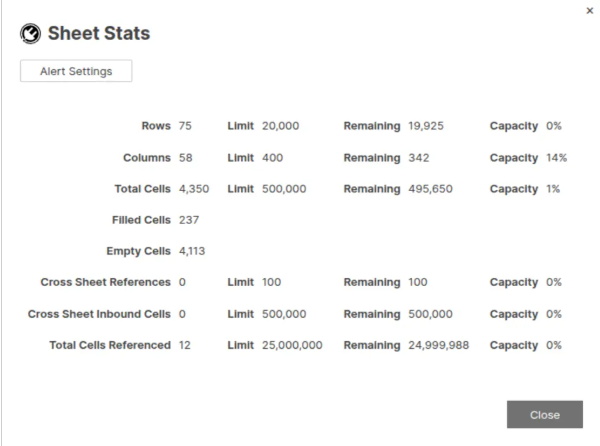
Sheet & Report Stats: View detailed statistics about your sheets and reports – row counts, column counts, formula counts, attachment sizes, and more.
Why SSFeatures?
Works everywhere: Available on Chrome, Edge, Firefox, and Safari.
No admin required: Install it yourself – no IT tickets, no workspace admin approval needed.
Your data stays private: SSFeatures runs entirely in your browser. Your data is never sent to external servers.
Saves real time: Features like auto-sort, bulk column management, and workflow copy-paste eliminate repetitive manual steps that cost teams hours every week.
Fills native gaps: Many of these features address long-requested Smartsheet capabilities that don’t exist natively – like importing into existing sheets, copying automations, and exporting grouped reports.